
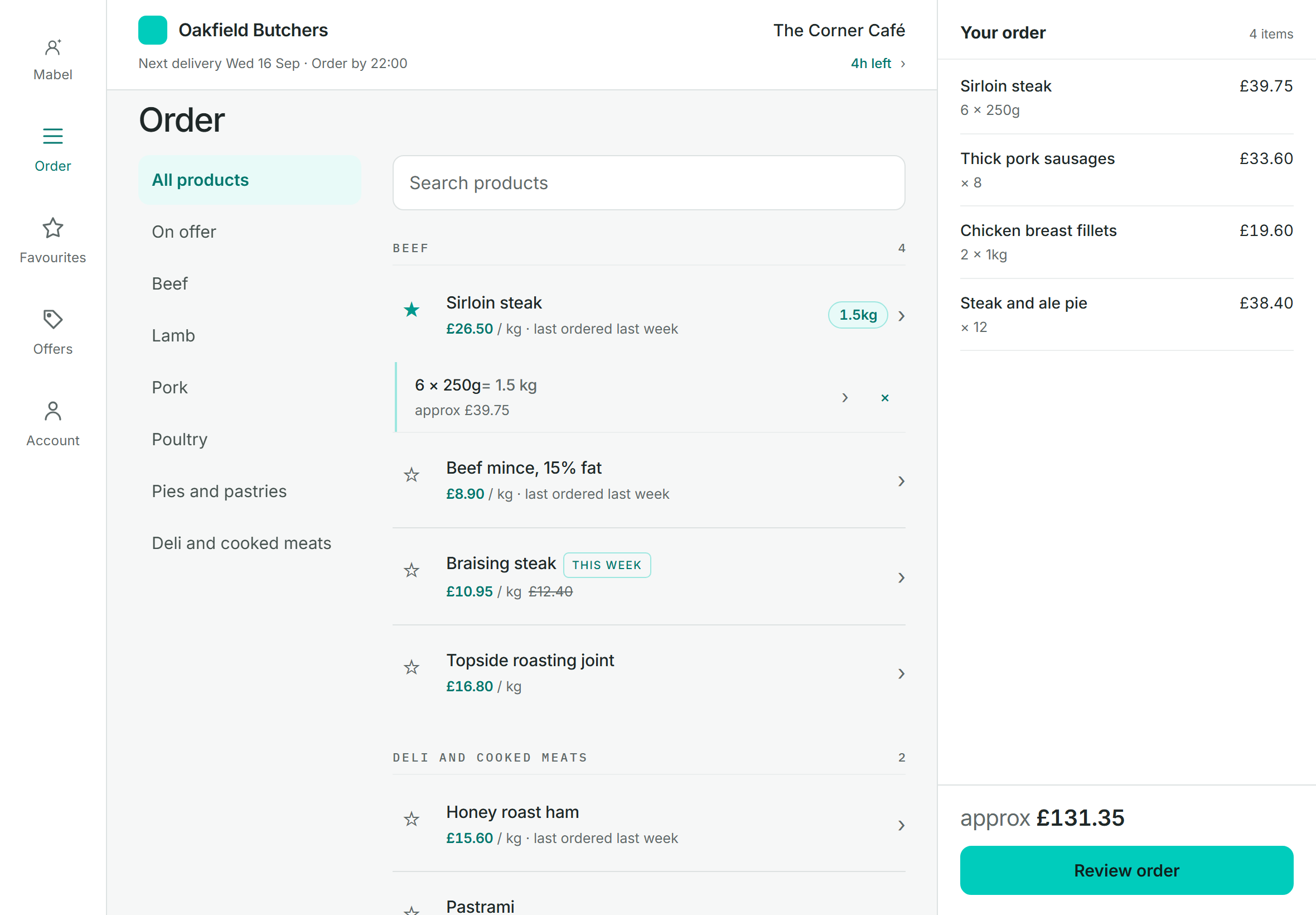
Their products, their prices
Each customer sees the catalogue and prices Velocity holds for them, offers included. Or hide prices completely for branch-to-central ordering.
Built for Velocity
Order-Point gives every customer their own ordering app, trade accounts and the public alike, with their products, their prices and your cut-offs. Every order goes straight into Velocity, so nobody types it in again.
Someone writes them down, someone types them into Velocity, and someone finds out at 6am that "the usual" meant something else. Order-Point turns every one of those into a tidy order your customer placed themselves, against your cut-off, in Velocity before you open.
How it works
A small service on your Velocity PC sends up your products, customers, prices and offers, and keeps them in step through the day. Change a price in Velocity and the app shows it.
Each customer signs in at yourbusiness.order-point.com and sees only their products at their prices, with the delivery or collection dates you actually offer.
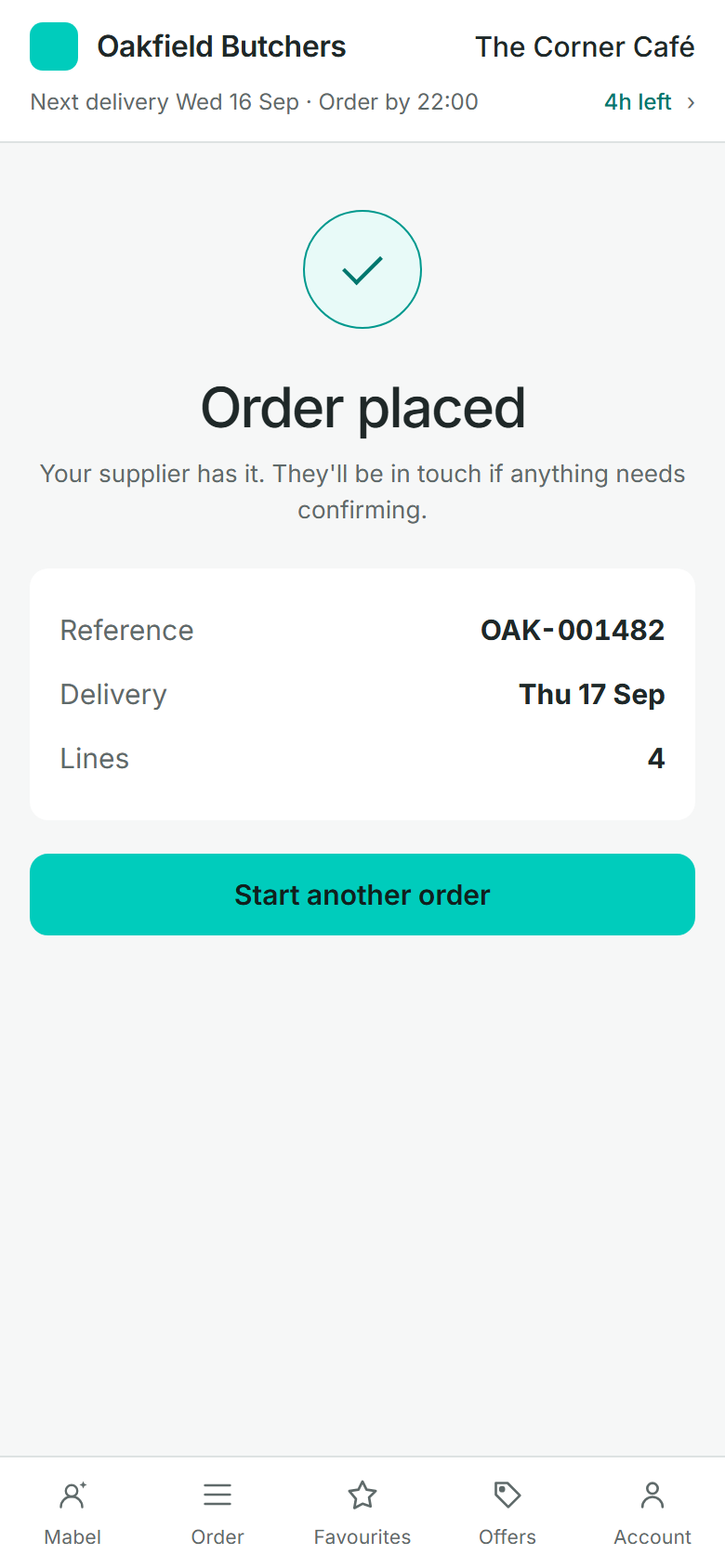
Every order comes back down into Velocity with its lines, weights and notes. You get an email, they get a confirmation, and the order is ready to pick.
Watch it work
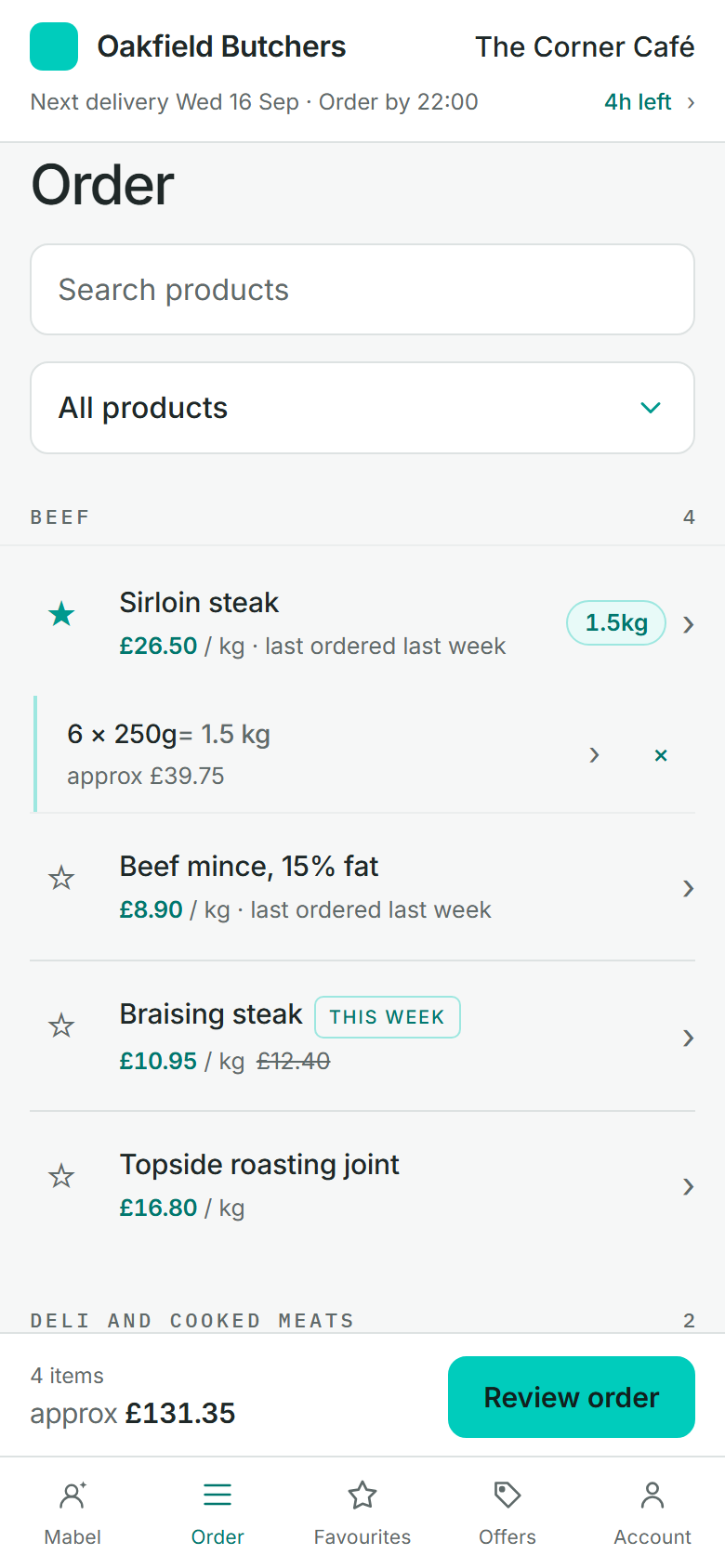
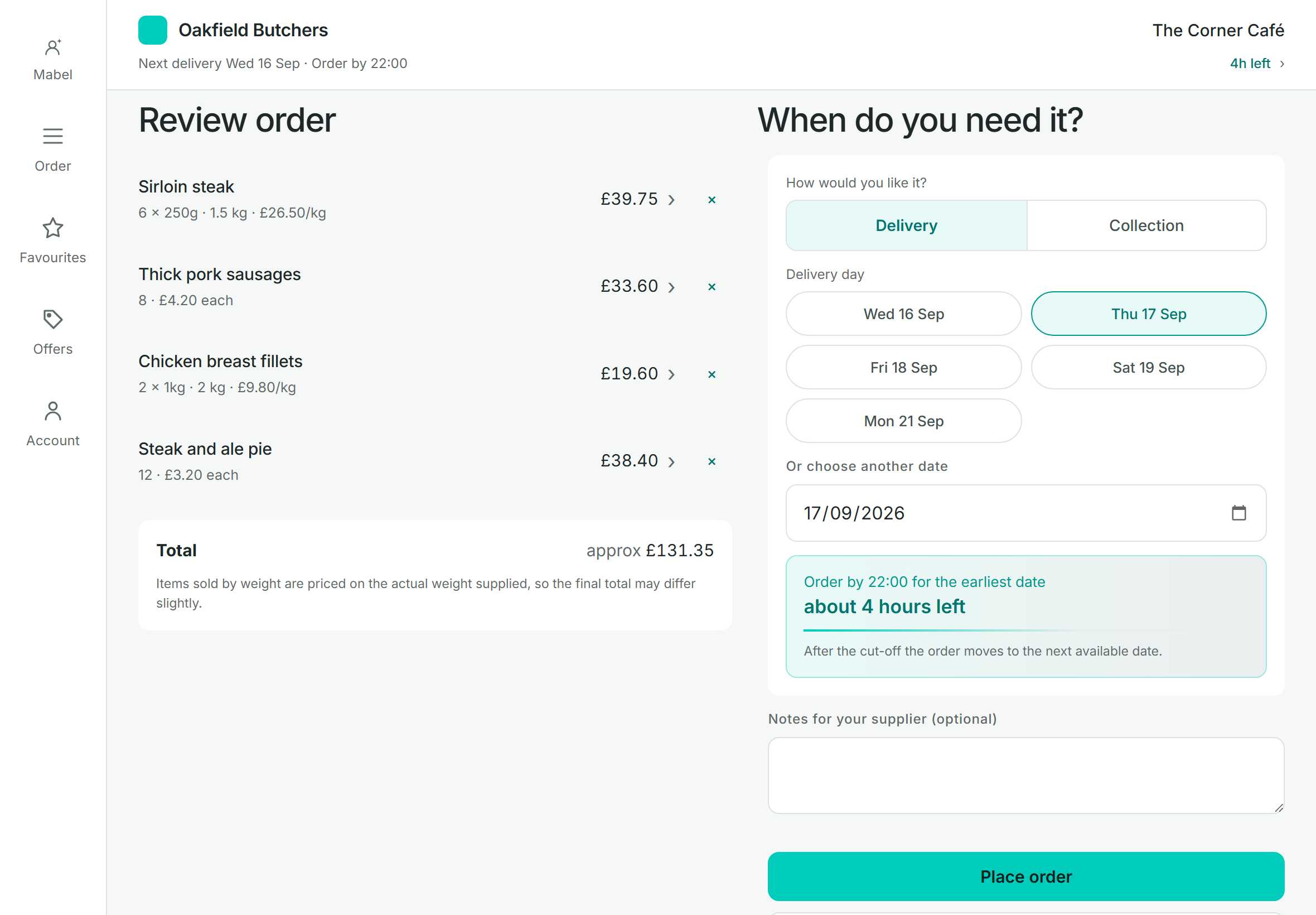
Most trade orders are the same things as last week. Order-Point is built for that: the usual items are at the top, quantities remember what they were, and the basket is never lost.
For your customers
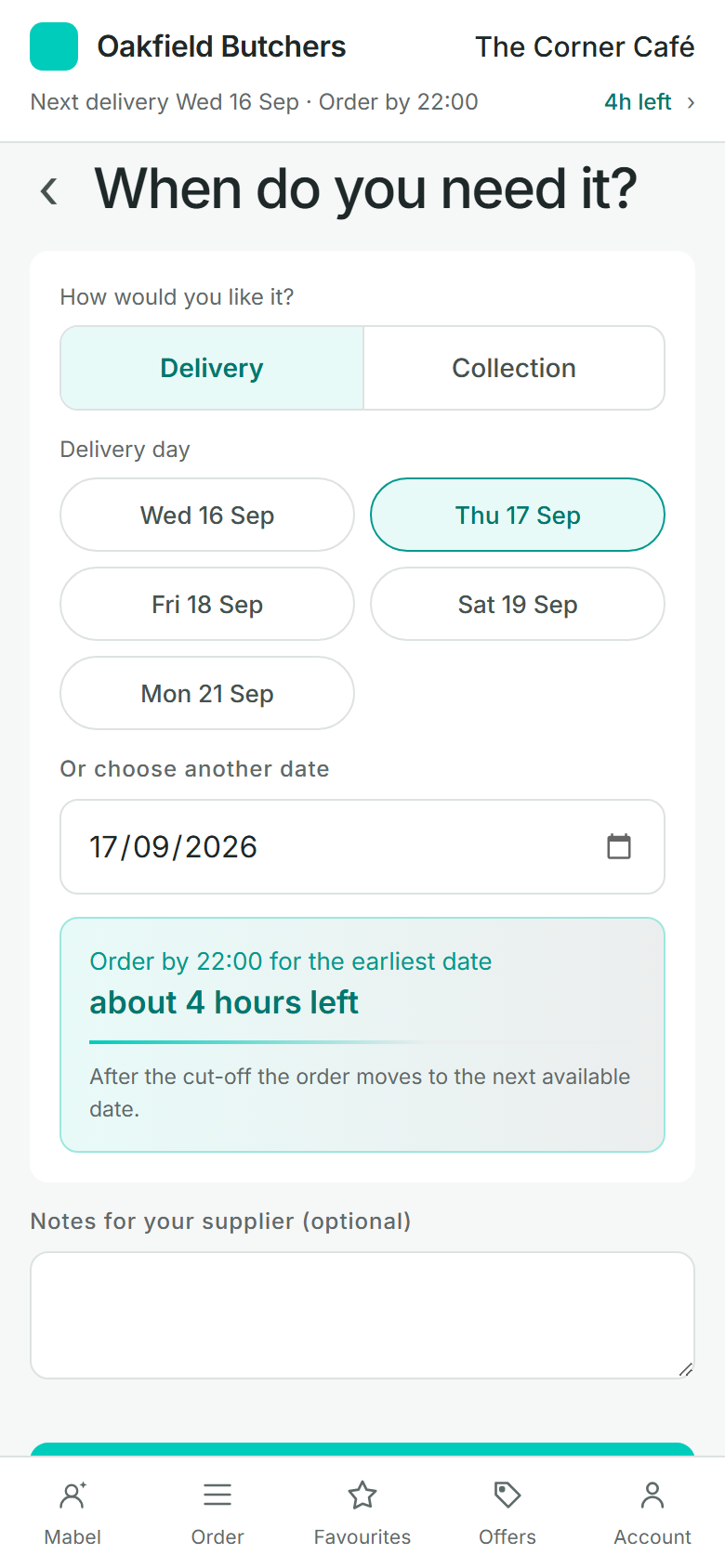
Cafés, restaurants, shops, your own branches and members of the public order in minutes, whenever suits them.
Each customer sees the catalogue and prices Velocity holds for them, offers included. Or hide prices completely for branch-to-central ordering.
Usual items rise to the top, past orders can be repeated, and a regular weekly order can be saved and placed again.
Order by the piece, by weight or by portion size, with the estimated total shown and clearly marked as an estimate.
Delivery days per customer, collection days, lead times, cut-offs and closed dates. A customer can't pick a day you can't do.
Lost signal, a closed tab or a flat battery: the basket is still there when they come back.
A nudge before the cut-off if an order was started and not sent, and a reminder before a collection is due. You choose whether they're on.
Your name and logo, on your own web address, with emails sent in your name. Customers can add it to their home screen like an app.
AI order assistant
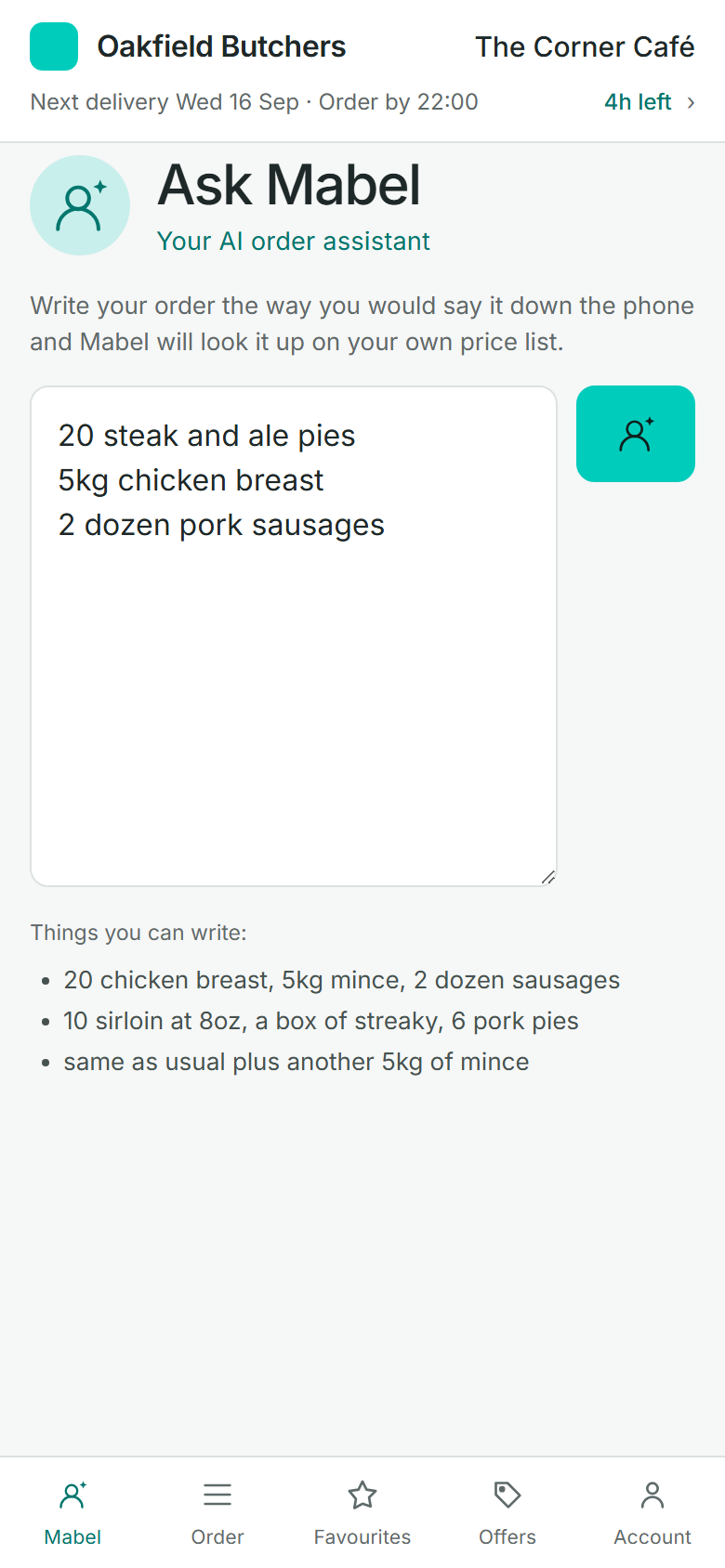
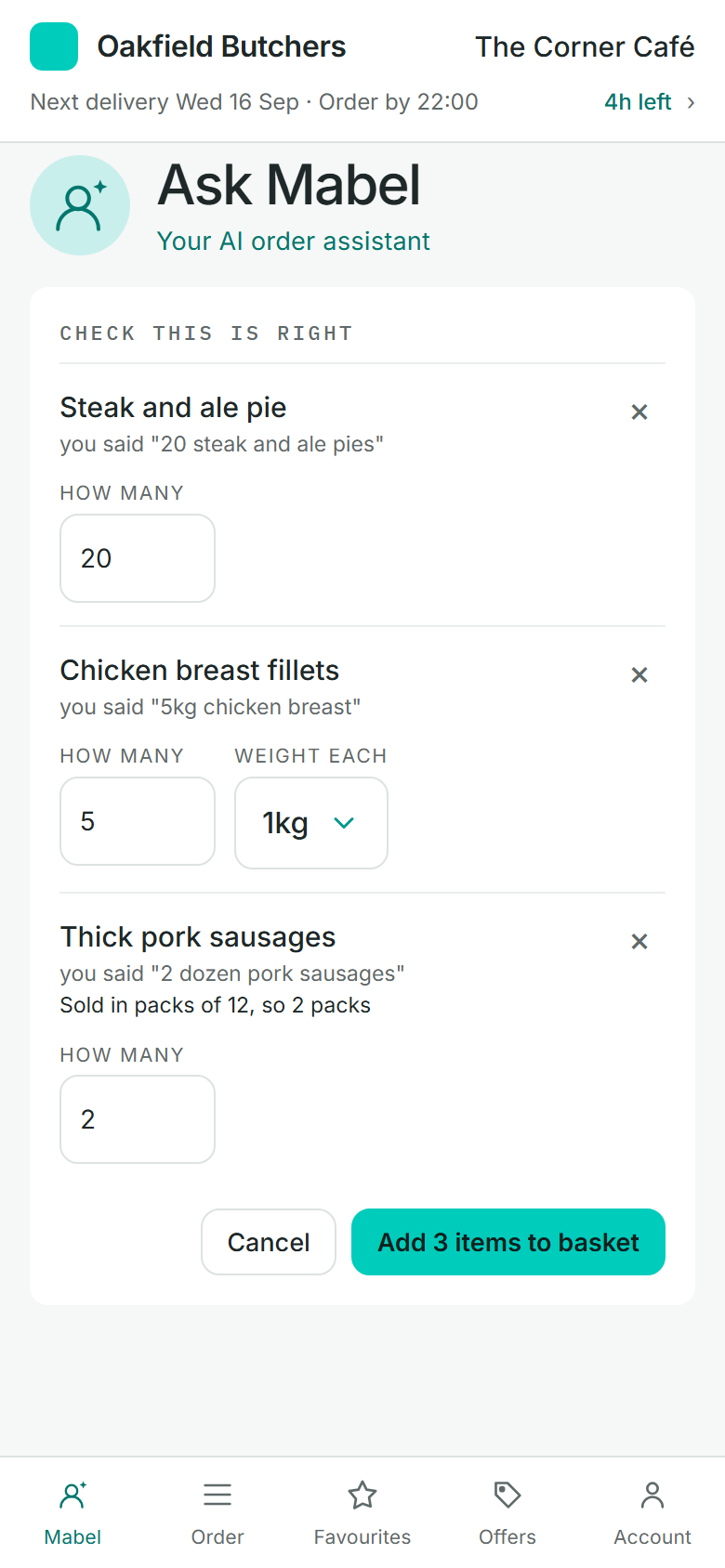
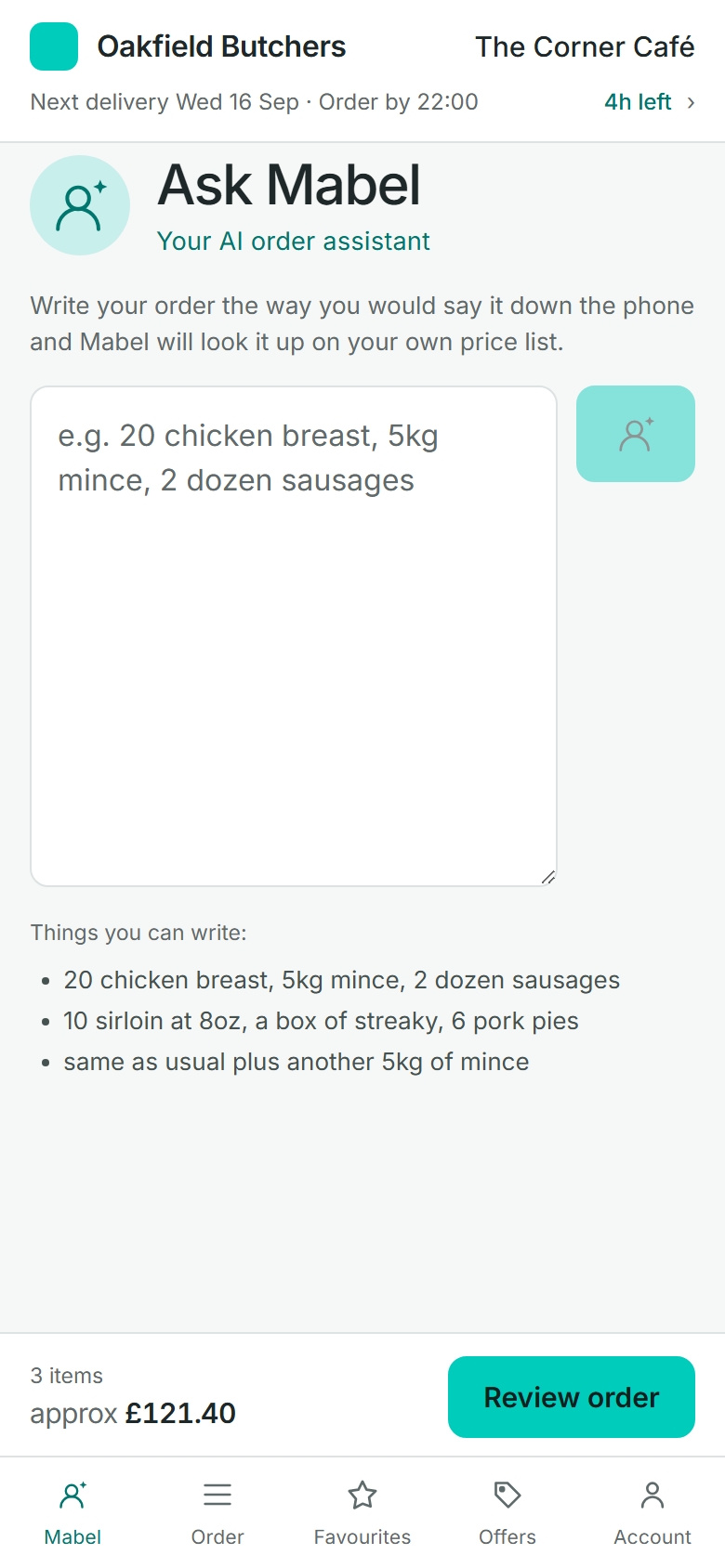
Customers type or paste an order the way they'd say it down the phone. The assistant finds each item on their own price list and sets it out to check, and nothing goes in the basket until they say so.
Name the assistant after your own order desk: Mabel on one site, Sandra on the next.
The public, sign-up and Christmas
Order-Point isn't only for trade accounts. A QR code by the till lets anyone sign up and order in a minute, and a Christmas order has its own products, its own dates and its own deadline — with no second website to run.
Your Butchers
Order from your phone
yourbusiness.order-point.com/join

The sign-up screen, left open on a tablet by the counter.
Order from us online
Scan to sign up. Your first order takes a minute.
yourbusiness.order-point.com/join
Some butchers run one website for Christmas and another for the rest of the year. Order-Point runs both as kinds of order on one site: the everyday one, and a Christmas one with its own product list, its own dates and one deadline.
| Product | To prepare |
|---|---|
| Whole turkey5–6 kg | 64 |
| Whole turkey7–8 kg | 41 |
| Turkey crown2.5 kg | 38 |
| Pigs in blanketsPacks of 24 | 212 |
| Sausage meat stuffing500 g | 150 |
| Beef rib joint3 bone | 27 |
| Gammon joint2 kg | 55 |
Card payments
Ask for a deposit on the orders that need one, and leave everything else exactly as it is. You choose which kinds of order carry one — a deposit belongs on the Christmas turkeys, not on Tuesday's mince.
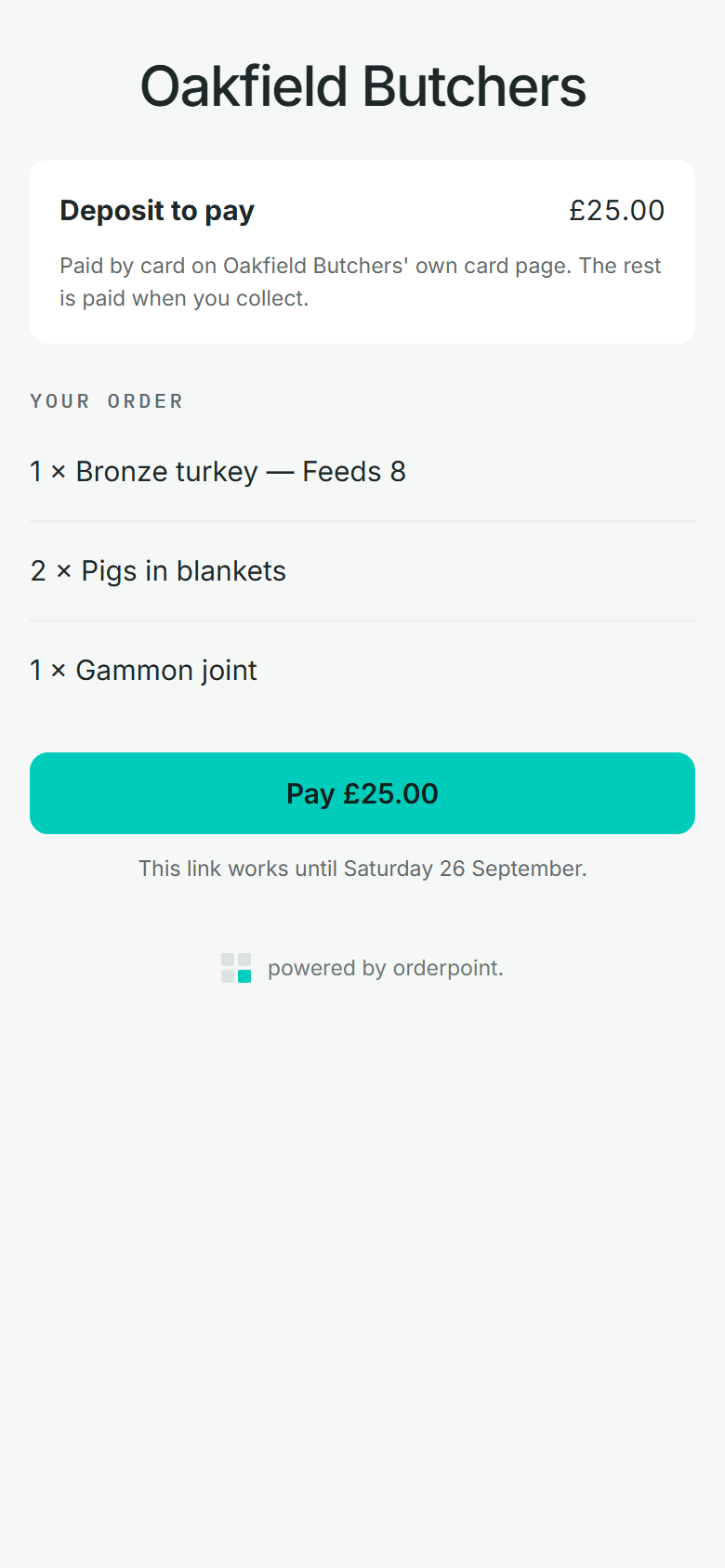
What a customer sees when you email them a link to pay.
For your team
Your sales and office staff sign in and order on a customer's behalf. They pick who the order is for, and the customer's name stays in view the whole time so nothing goes on the wrong account.
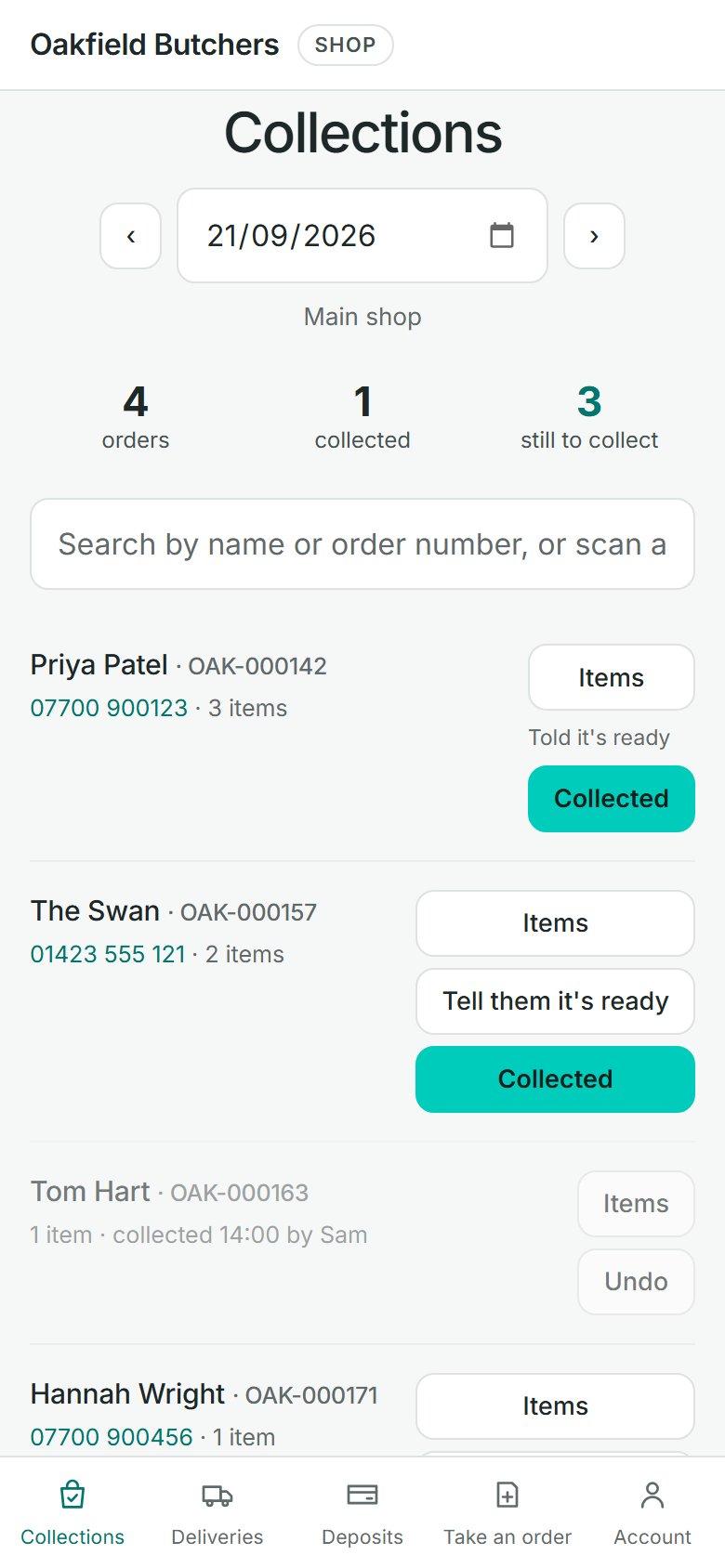
The shop app on a phone, on the day it is busiest.
The shop floor
Handing an order over is a different job from taking one, done by a different person on a different device while they're standing up. So it isn't buried in the ordering app — it's its own app, and it goes on the home screen like any other.
The admin centre
Products, customers and prices stay in Velocity. The admin centre covers the rest.
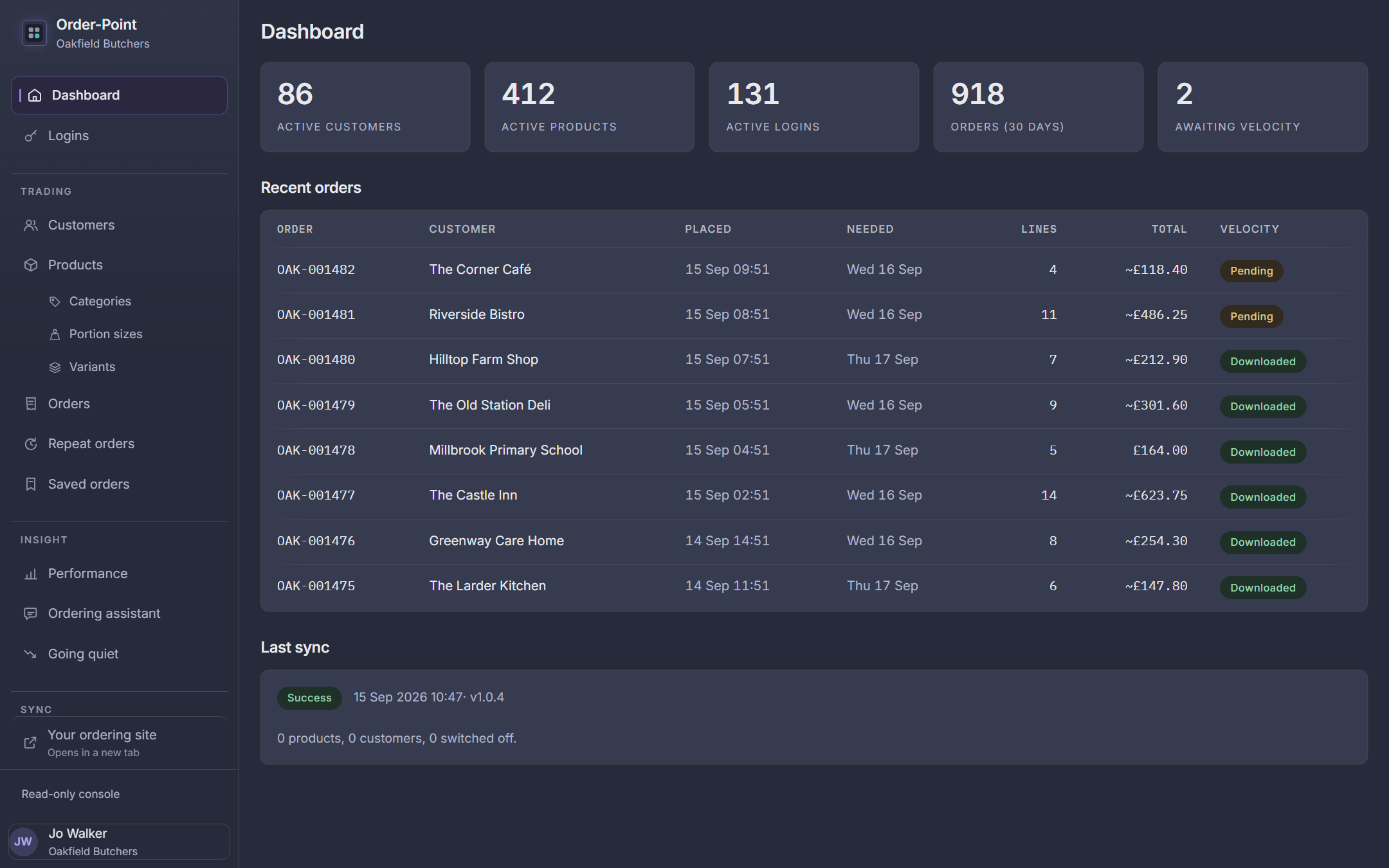
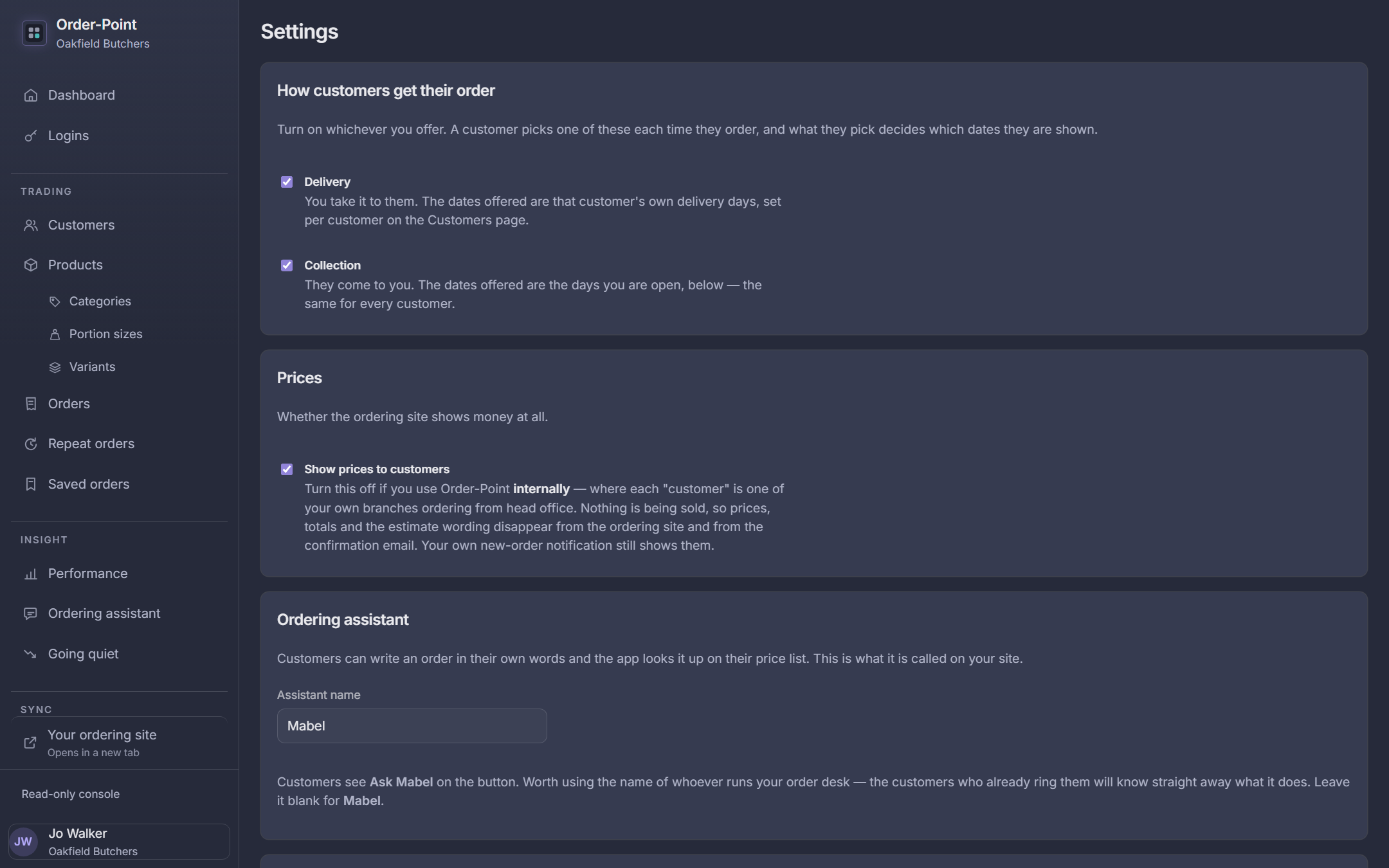
Cut-off time, lead time, delivery days, collection points, closed dates, kinds of order, and which emails go out.
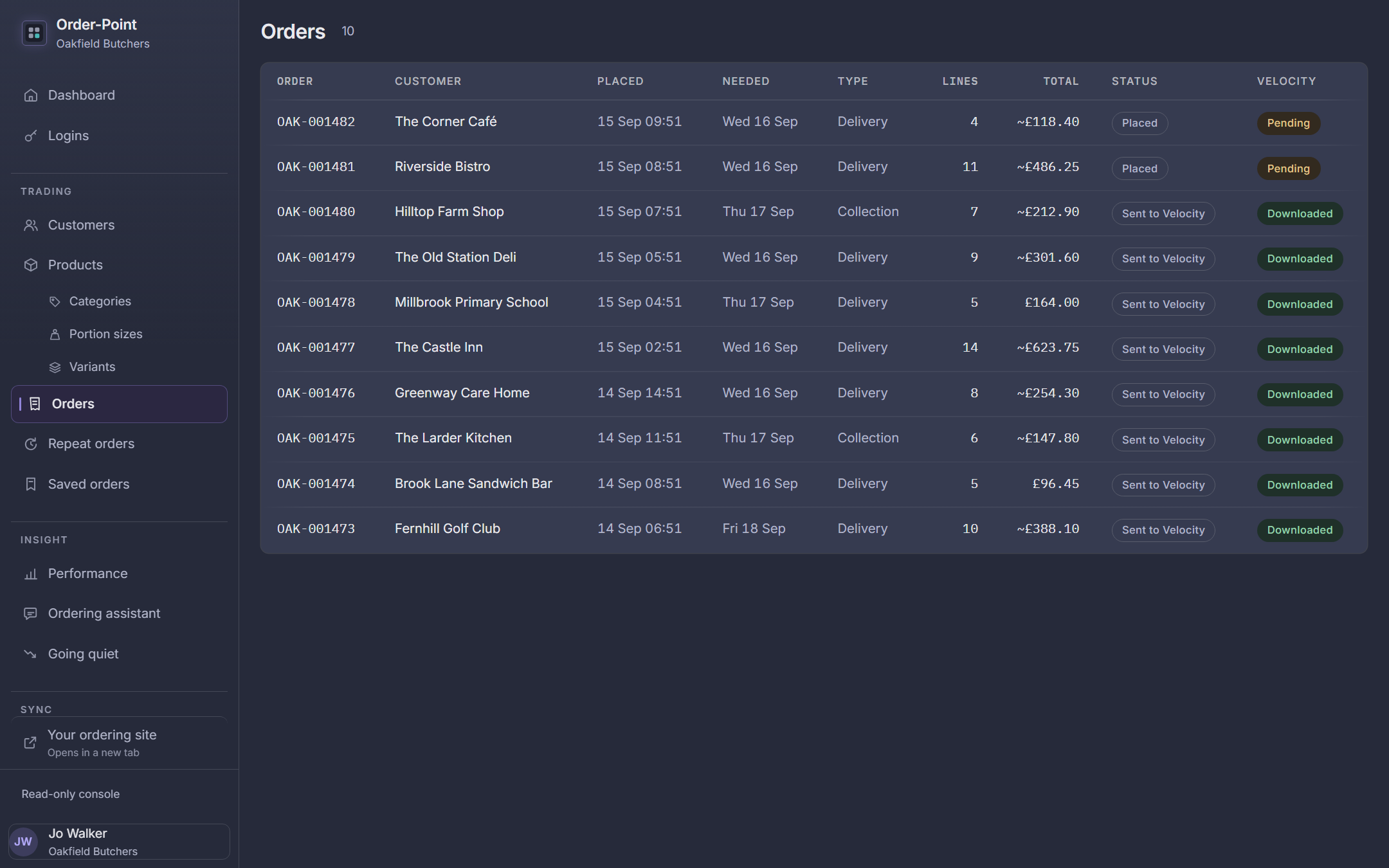
Search and open any order, and see at a glance which have reached Velocity.
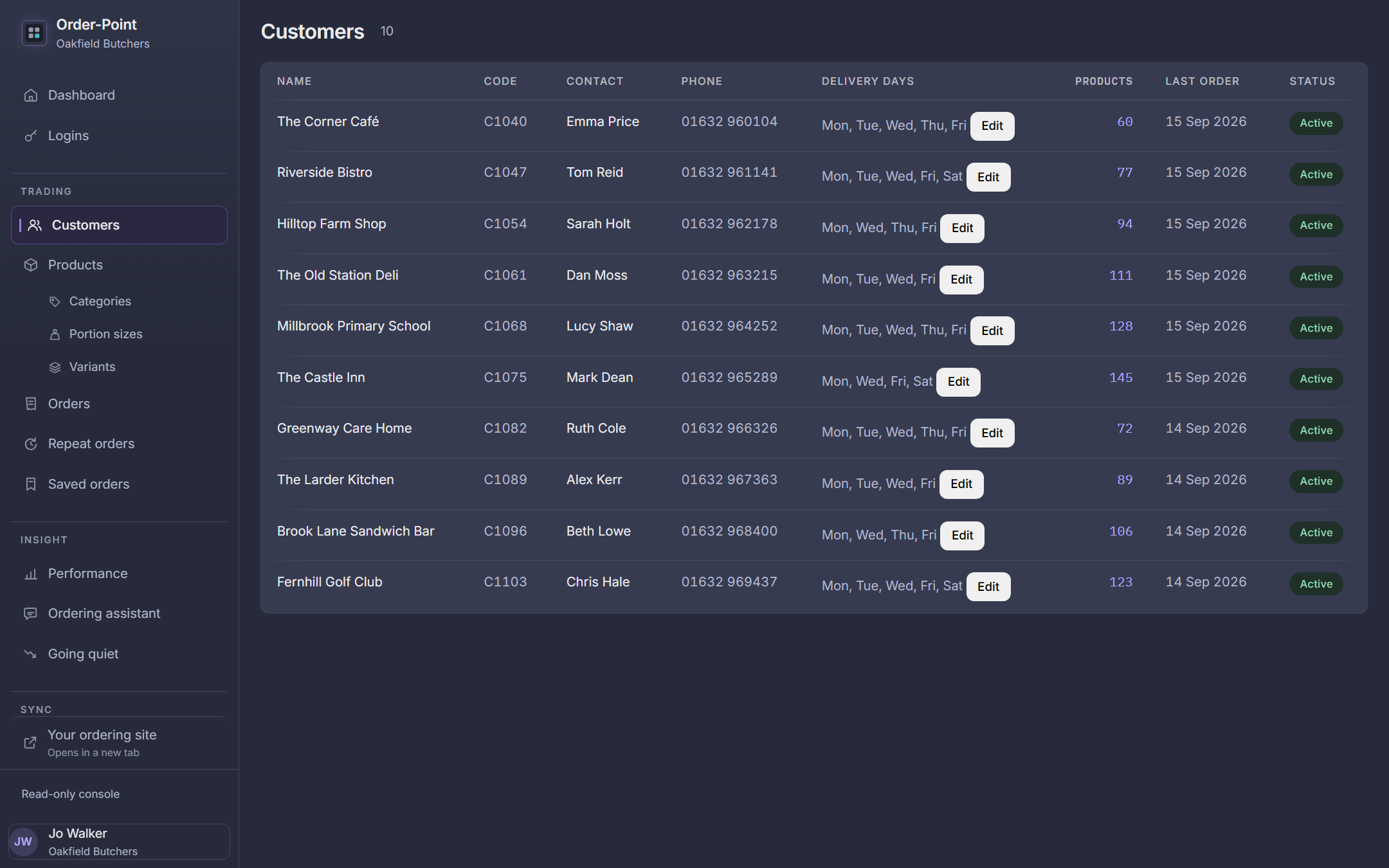
Invite customers, approve sign-ups if you choose to, add logins for their staff, and set delivery days per customer.
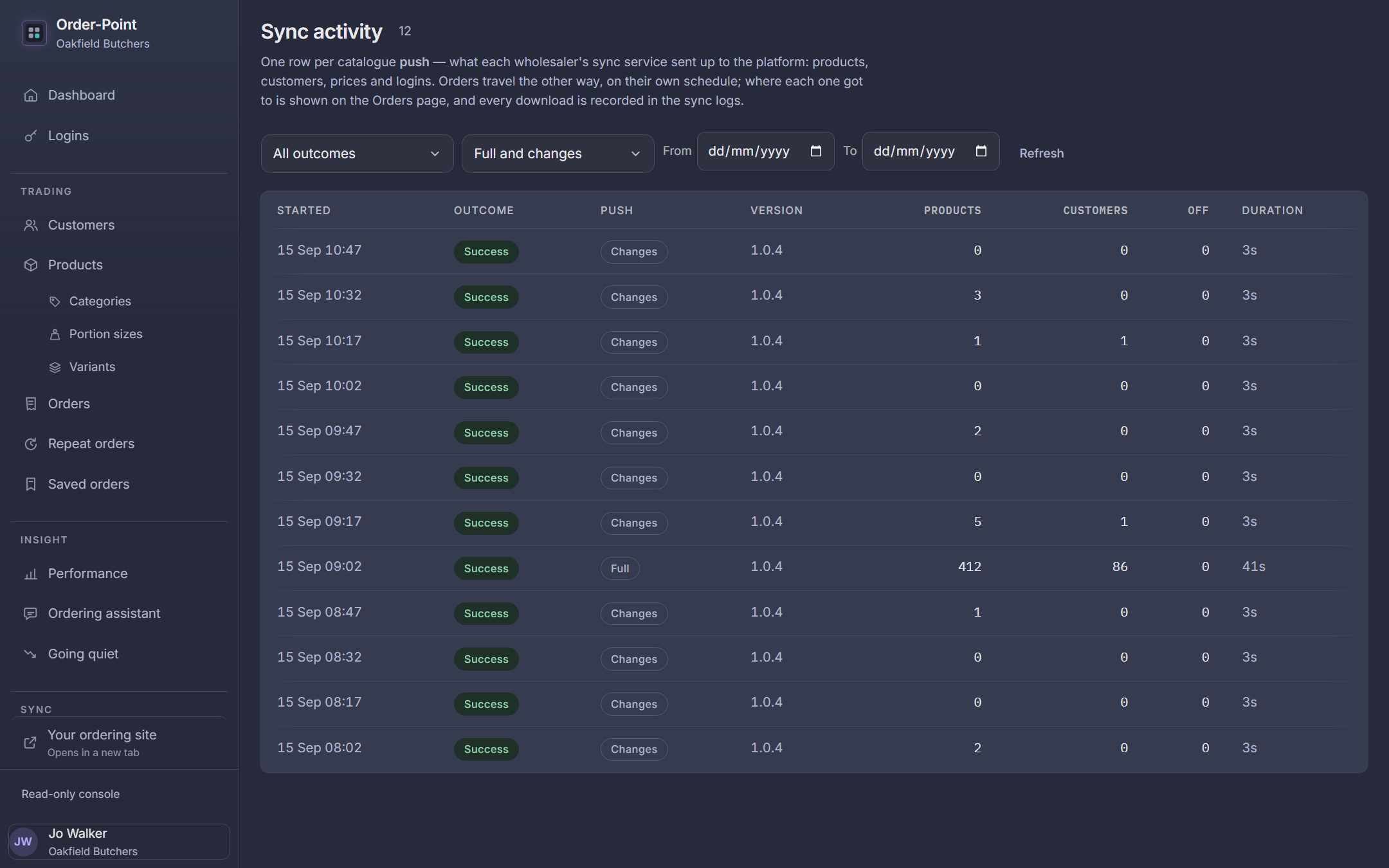
See when Velocity last sent its data and what changed, in plain words, without ringing anyone.
Questions
No. Order-Point reads the customers, products, prices and offers you already keep in Velocity, and sends orders back into it. We install a small service on your Velocity PC and set it up with you.
No. They open your web address on a phone, tablet or computer. On a phone they can add it to their home screen, and it opens full screen like an app.
Yes. Each customer sees the products and prices Velocity holds for them. If you use Order-Point for ordering between your own branches, you can hide prices altogether.
Yes. Order-Point isn't only for trade customers. Members of the public sign themselves up from a QR code in the shop or a link on your website, and they're ordering in a minute; or your staff can add them. You can have each sign-up approved first if you'd rather. It comes into its own at Christmas: orders arrive weeks ahead for the dates you offer, and Velocity's production reports tell you how many turkeys, pigs in blankets and joints to get ready.
No. Some butchers run one site for Christmas and another for the rest of the year, with two lots of logins and two lots of orders to type up. In Order-Point, Christmas is a kind of order on the same site: its own product list, its own delivery and collection dates, one deadline, and its own link and QR code for the posters. Customers sign in once, keep a Christmas basket beside their everyday one, and every order goes into Velocity marked with which it is. When it's over, one tap sets it up for next year.
You do. You connect your own Stripe, Square or SumUp account and the money goes straight into it — Order-Point never holds it, and we take nothing on top of the provider's own fee. Card details never reach us either: the customer pays on the provider's page, not ours. If you'd rather not take card payments at all, leave it switched off and nothing changes.
Your staff can place it for them in the same app, and even add a brand-new customer while they're on the phone. If that kind of order carries a deposit, they email the customer a link to pay it — the order waits until the money lands, and the admin centre lists everyone you're still waiting on.
It depends on the size of your business and how you'd like to use it, so talk to us. Book a demo and we'll give you a price that fits.
Book a demo
We'll show you the ordering app and the admin centre, talk through how it fits with your Velocity setup, and give you a price. No obligation, and no hard sell. You know us already.